Professional Quote Template

Need to create a quote now?
Generate professional quotes in less than 2 minutes with our AI-powered tool.
A well-designed quote template is much more than a simple document with prices; it is a powerful sales tool and an opportunity to convey professionalism and attention to detail. In this article, we will guide you step by step to create quote formats that not only fulfill their basic function but also boost your sales.
According to recent studies, companies that use professional and well-structured quote templates experience a 35% increase in their conversion rate compared to those that use generic or improvised formats.
Essential elements of a professional quote template
Before you start designing your template, it is essential to know the elements that cannot be missing:
| Element | Description |
|---|---|
| Corporate header | Logo, contact information, and tax data of your company |
| Client information | Name, address, main contact, and tax data if applicable |
| Unique quote number | Facilitates tracking and future reference |
| Issue date and validity | Clearly establishes the period during which the offer is valid |
| Detailed description of products/services | Includes relevant technical specifications |
| Clear price table | With columns for quantity, description, unit price, and total |
| Commercial conditions | Payment terms, delivery times, and guarantees |
| Signature and stamp | Space for formalization by both parties |
“A well-designed quote not only informs the client about your offer but also reflects the quality and professionalism they can expect from your company.”
Step by step: How to create an effective quote template
1. Define your base structure
Start by establishing a clear and logical structure. Organize the information so that it is easy to follow, with well-defined sections and a natural reading flow. Visual hierarchy is key: use headings, subheadings, and consistent spacing to guide the reader through the document.
2. Personalize with your brand identity
Your quote template should be an extension of your brand. Incorporate your corporate color scheme, typography, and distinctive visual elements. Maintain consistency with the rest of your marketing materials to reinforce brand recognition.
3. Be specific in descriptions
Avoid generic or ambiguous descriptions. Detail exactly what each item includes, using clear and specific language. If necessary, include images or diagrams for greater clarity, especially for technical products or complex services.
4. Structure prices strategically
The way you present prices can significantly influence the perception of value:
- Group related items to show combined value
- Visually highlight discounts or special promotions
- Consider presenting multiple options or packages
- Include a “value” or “benefit” column alongside the price
5. Clarify terms and conditions
Be transparent about commercial terms. Clearly specify payment conditions, delivery times, guarantees, and any other relevant information that may affect the client’s decision.
Recommended formats by business type
| Business type | Recommended format | Key features |
|---|---|---|
| Professional services | Interactive PDF | Detailed descriptions, visual timeline, integrated testimonials |
| Retail | Excel or POS system | Visual catalog, product codes, volume discounts |
| Construction / Projects | Specialized system | Phase breakdown, 3D visualizations, time estimates |
| Freelancers | Online template | Integrated portfolio, service options, simplified process |
Tools and templates for creating your quotes
There are numerous tools that can facilitate the creation of professional quote templates:
AI Generators
New tools powered by artificial intelligence allow you to create personalized quotes in minutes. These platforms can suggest optimized descriptions, strategic pricing structures, and professional designs adapted to your specific industry.
Invoicing software
Programs like QuickBooks, Zoho Invoice, or FreshBooks offer customizable templates that integrate with the rest of your financial system. The advantage: they allow easy conversion of approved quotes into invoices.
Office suites
Microsoft Office and Google Workspace offer free templates that can serve as a starting point. Excel and Sheets are especially useful for quotes that require complex or automated calculations.
Advanced tips for quotes that convert
| Element | Description |
|---|---|
| Include social proof | Brief testimonials, client logos, or relevant case studies can significantly increase trust |
| Anticipate objections | Include “FAQ” sections or proactively clarify common questions that might arise |
| Offer options | Presenting 2-3 alternatives with different service/product levels increases closing chances |
| Simplify acceptance | Include a clear and simple process for the client to approve the quote, like an “Accept” button in digital versions |
Common mistakes to avoid
| Mistake | Description |
|---|---|
| Excessive technical information | without explanation of benefits |
| Overloaded design | that hinders reading |
| Ambiguity in terms | or conditions |
| Calculation errors | or inconsistencies in prices |
| Lack of personalization | for the specific client |
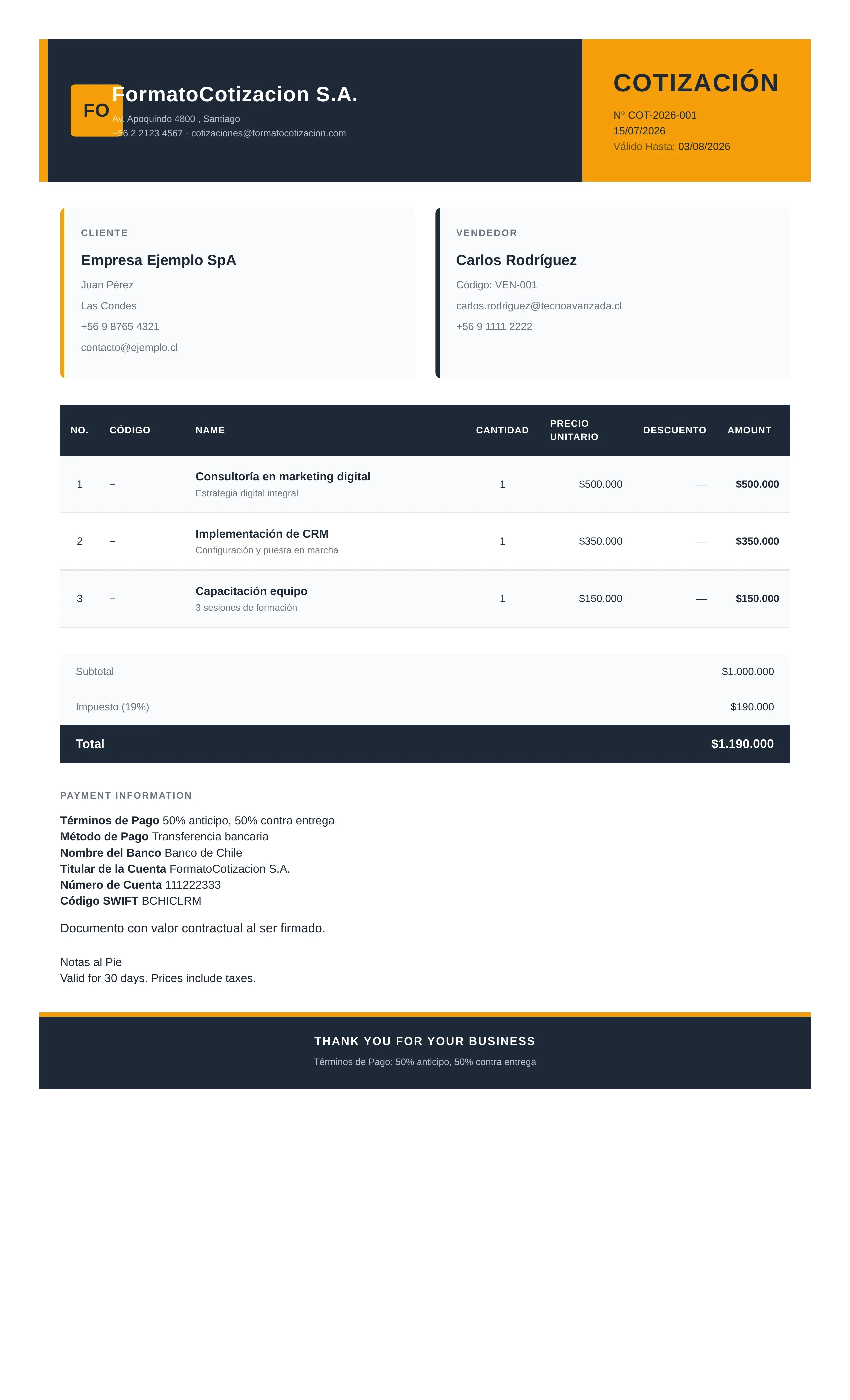
Professional quote template example generated with the system
This is what a professional quote template looks like when created with our generator: a corporate header with your tax details, a line-item table with unit prices, and the totals summary ready to send to your client.
Conclusion
A well-designed quote template is much more than an administrative requirement — it is a powerful sales tool. Investing time in creating a professional, clear, and strategic format can make the difference between a prospect who hesitates and a client who signs.
With the digital tools and artificial intelligence available today, creating professional-level quotes is within reach of any company, regardless of size. The important thing is to understand that each quote is an opportunity to communicate not only the monetary value of your offer, but also the professionalism and quality that characterize your company.
Ready to transform your quote templates into powerful sales instruments? Start today implementing the recommendations in this article and watch your conversion rate increase.
Create your quote in seconds with formatocotizacion.com